Functions
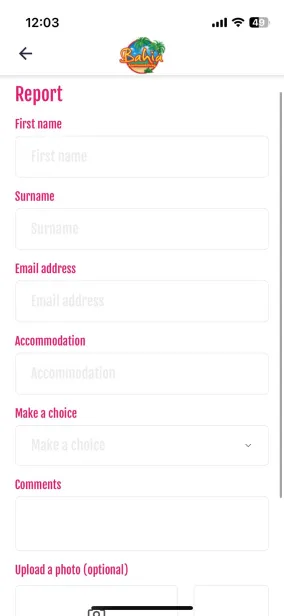
With the CMS of your app and/or website, it is easy to add forms. We have a large number of standard forms available for you to choose from. If you cannot find the right form, please contact us. We can also create a customised form.
Adding a form
1. Click on the Forms button in the CMS main menu. This will take you to an overview of the forms that have already been created.
2. Click on the Add item button, then select a template from the list. Use the filter options to find a form, and view a preview of the fields in the form by moving your mouse over the titles.
3. After selecting the desired template, additional information is required to use the form. Fill in the required fields. For an explanation of the information to be entered, hover your mouse over the blue question mark next to the titles of the input fields.
4. Is the form to your liking? Click on “Settings” at the top centre and give the title in the app a title (this can be the same as the name of the form). Then enter your email address (where you want to receive the submissions) under “Form email address” and “Reply to email address”.
5. On the right-hand side, tick ‘Send confirmation email’ and ‘Remember previously entered information within the app’. Then, at the bottom right, under ‘Storage method’, select the option ‘By email & in the CMS’.
6. If everything is to your liking and the settings are correct, you can press the blue Save button at the top right.
7. Would you like to make further changes to your form afterwards? You can! Once you have clicked on Forms, select Manage Forms. Then click on the four squares on the right-hand side of the form you want to edit and click on Edit. This allows you to make changes at any time!
Is anything unclear or do you have any other questions/comments? Send us an email at office@greatstayapp.com , fill in our enquiry form or call us on +31 (0)85 40 15 336.
Was this article helpful?
That’s Great!
Thank you for your feedback
Sorry! We couldn't be helpful
Thank you for your feedback
Feedback sent
We appreciate your effort and will try to fix the article