In the content management system (CMS), you can manage all aspects of your app, such as content, forms, and messaging.
The CMS can be accessed at cms.businessapps.nl
To use the CMS, log in with your personal details. You will have received these details from us by email. If you ever lose your login details, please contact us by emailing office@greatstayapp.com
CMS main menu
When you log in to the CMS, you will be taken to the main menu. You can always click on our logo or the house icon to return to the main menu.
Buttons that are not relevant to your app or website are hidden from the main menu. Therefore, you may not see all of the options below.
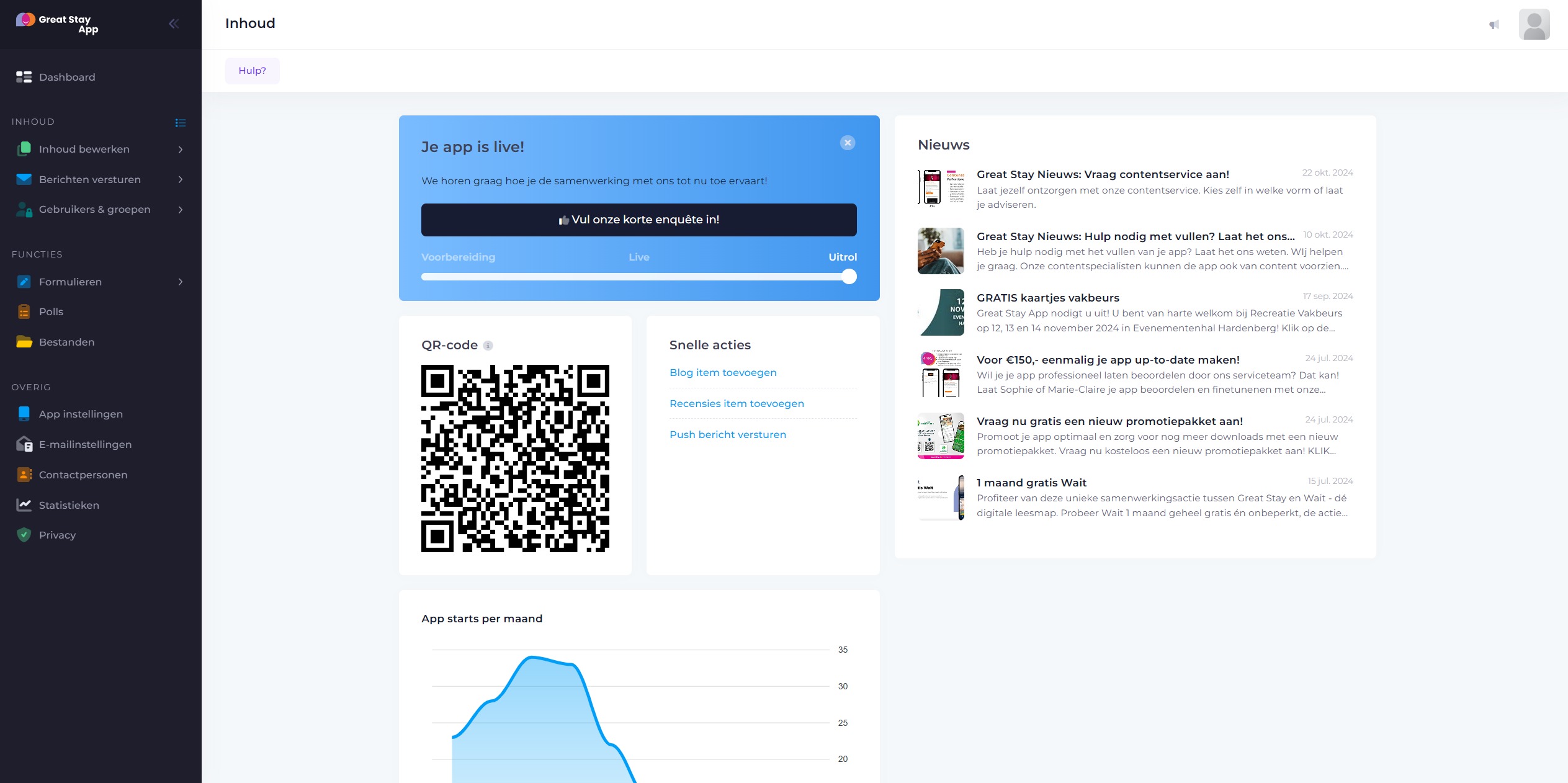
Contents
| Button | Function |
|---|---|
| Edit content | Edit the content of most of your app's building blocks. For example, create events or news items. |
| Send messages | Send push messages and edit push groups. |
| Personal inbox messages | View an overview of sent Personal Inbox messages. |
| Submitted forms | Read submitted forms or export them to Excel. |
| Surveys | Create a poll to ask your users an optional multiple-choice question. |
| Files | Upload documents. |
Settings
| Button | Function |
|---|---|
| App | Set a main menu background image and create a slider. |
| Forms | Create forms and link them to building blocks in the app. |
Other
| Button | Function |
|---|---|
| Statistics | View activation numbers and how often the building blocks are used. |
| Contacts | Add contacts so that Business Apps can keep you informed of (future) developments. |
| Privacy | Add your own privacy document and download the privacy documents from Business Apps. |
| QR-code | If you have downloaded the Great Stay App, you can also scan this QR code to load your app instead of searching by name. |
Change password
If you prefer to set your own password, log in and click on your username in the top right corner. Then enter your current password and the new password you want to use.
Help with problems
Are you encountering problems and can't find the solution in our Help Centre? Send us an email at office@greatstayapp.com, Fill in our questionform or call us at +31 (0)85 40 15 336
Was this article helpful?
That’s Great!
Thank you for your feedback
Sorry! We couldn't be helpful
Thank you for your feedback
Feedback sent
We appreciate your effort and will try to fix the article