App configuration page
You can partially determine the look and feel of the app yourself. You can manage the options for this under “App settings” in the main menu of the CMS:
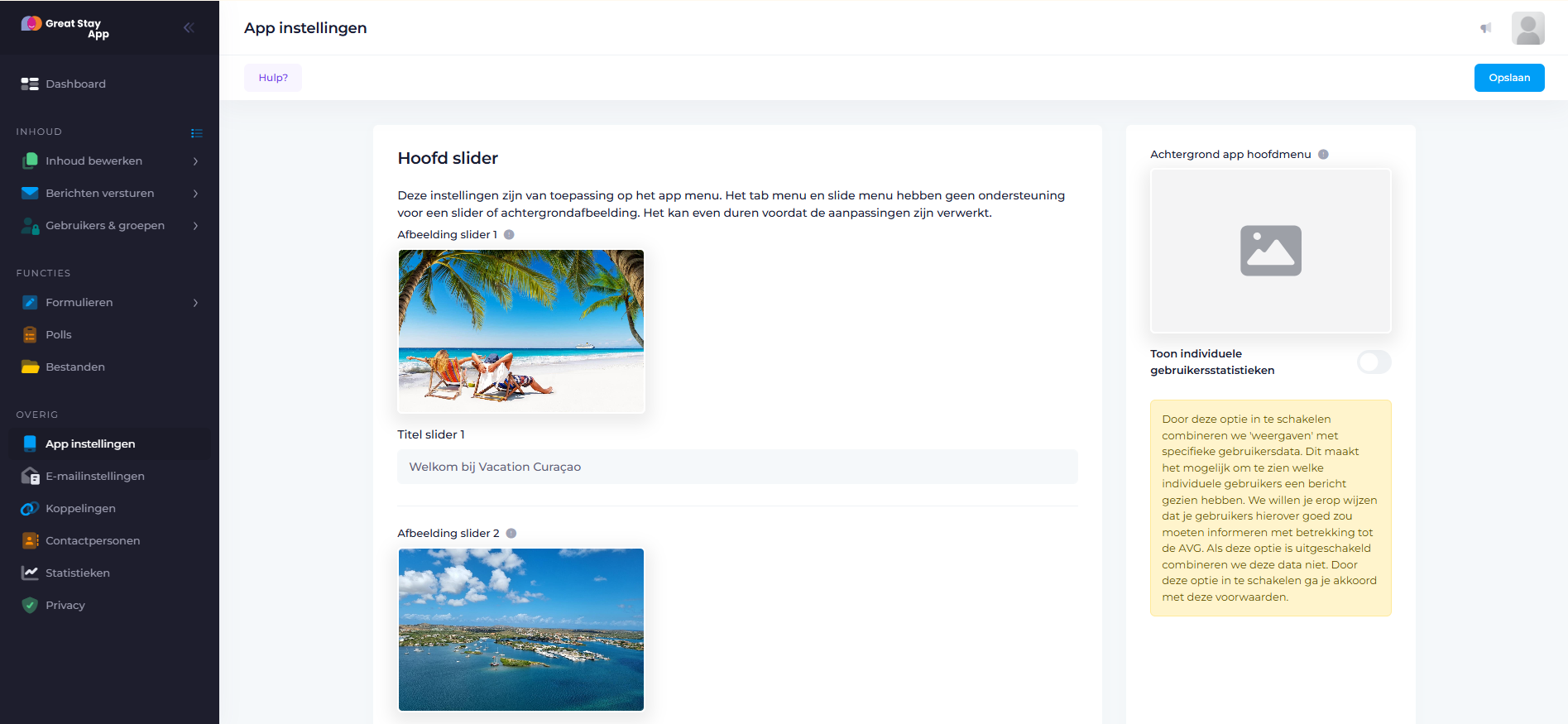
You can manage the main menu background photo under the heading “App main menu background”.De hoofdmenu achtergrond foto beheer je onder de kop 'Achtergrond app hoofdmenu'.
The Main slider is located at the top of the app's main menu. When you add a single photo here, it will not change. With 2 or 3 photos, they will alternate. It is also possible to add text to these photos. There is enough space for one sentence.
Add image
Click on the grey area and upload a photo directly to the CMS.
Show individual user statistics
By enabling this option, we combine “views” with specific user data. This makes it possible to see which individual users have viewed messages. Please note that you must inform users about this in accordance with the GDPR. If this option is disabled, we do not combine this data.
Help with problems
Are you encountering problems and can't find the solution in our Help Centre? Send us an email at office@greatstayapp.com, Fill in our questionform or call us at +31 (0)85 40 15 336
Was this article helpful?
That’s Great!
Thank you for your feedback
Sorry! We couldn't be helpful
Thank you for your feedback
Feedback sent
We appreciate your effort and will try to fix the article