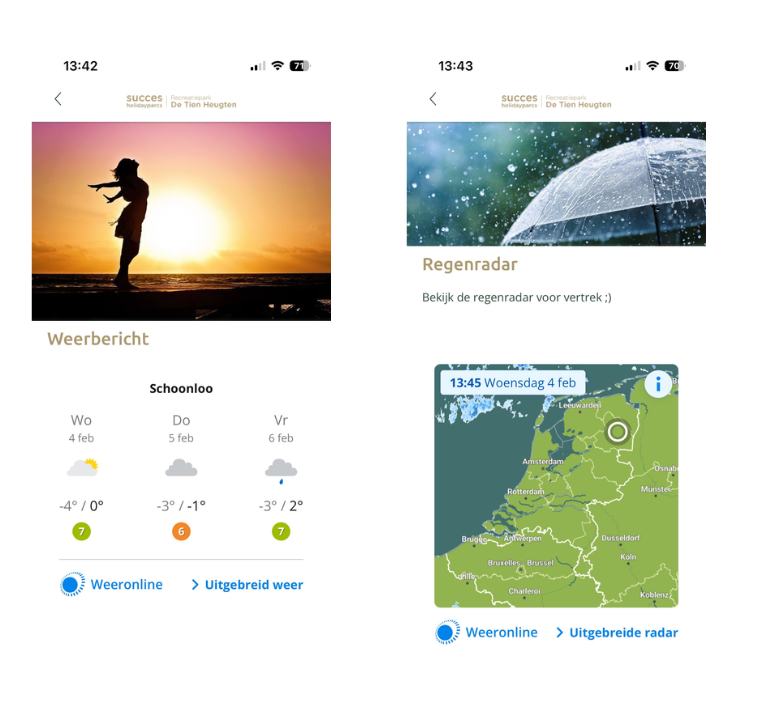
In addition to building blocks that allow you to load a website in one go, you also have the option of iframing web pages within a standard page in your app.
The example above: the weather module and rain radar from weeronline are now incorporated into the app!
Please note: not all websites can be iframed due to the security settings of the website in question. The building block that allows you to load an internet page in one go can do this, as the security request is different here. In addition, it also looks much nicer if you request a building block that loads a website in one go than if you were to iframe it in a standard page.
Step-by-step plan for iframing a website within your app.
1. Go to the page where you want to iframe a website and edit it.
2. In the text editor, click on “Source code.”
 | Source code View and edit the source code (HTML) of the test. |
3. Paste the code below into the desired location within the source code.
<div style="max-width:500px"><iframe title="widget" width="100%" height="328px" frameBorder="0" scrolling="no" loading="lazy" src="https://greatstayapp.com/"></iframe></div>
4. Change the website after “src=” to the desired website.
5. Press save.
6. Test in the app to see if it works. If the website does not load properly, it is not possible to iframe your desired website. It looks the same in the app as in the web app when an iframe does not work. See what that looks like here.
7. Does it work, but are you not satisfied with the height? Change the height from 328px to a larger number, but make sure to keep “px.” For example, you could change it to height="600px."
Is anything unclear or do you have any other questions/comments? Send us an email at office@greatstayapp.com , fill in our enquiry form or call us on +31 (0)85 40 15 336.
Was this article helpful?
That’s Great!
Thank you for your feedback
Sorry! We couldn't be helpful
Thank you for your feedback
Feedback sent
We appreciate your effort and will try to fix the article