Do you have a link that can be integrated into the web app? It's super easy to integrate it into your web app!
1. Tap the top left corner where you see the name of your property, next to which the first letter of the property is shown in a large circle.
2. Tap "Available Apps" in the top right corner.
3. Tap "Connect" under the party you want to connect to.
4. Enter your login details.
5. The integration is complete!
The link to the app will automatically become the first tile on the homepage. Would you like to change the title and background image of this tile?
1. Tap the top left corner where you see the name of your property, next to which the first letter of the property is shown in a large circle.
2. Tap "Metadata" in the top center corner.
3. Scroll down until you see "App Image" and below that "App Text."
4. Tap the space under "App Image" to find an image in your documents as the background image for this tile.
5. In the "App Text" bar, type the tile title.
6. Click the purple "Save" button in the bottom right corner.
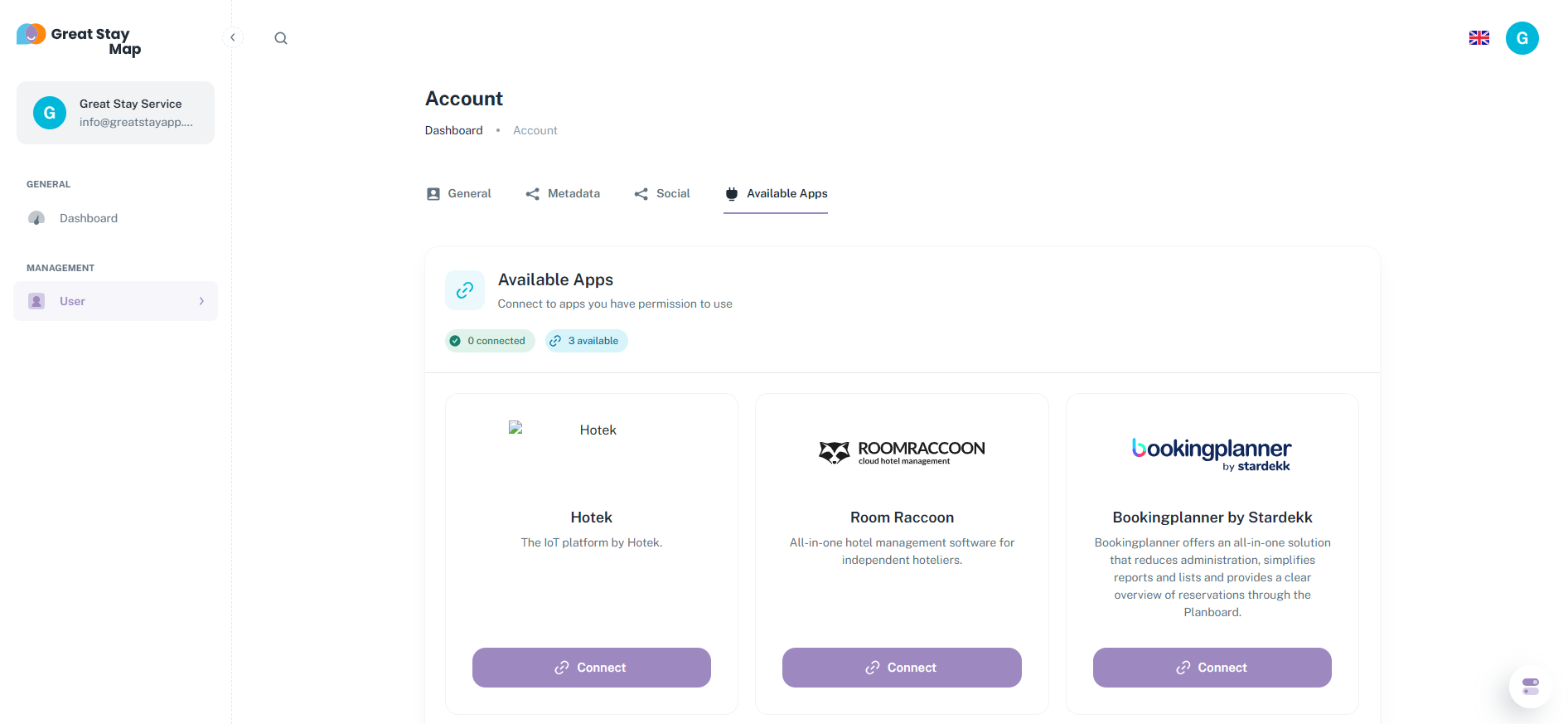
This allows you to add integrations with other providers, such as Roomraccoon. Contact David (david@greatstayapp.com) to learn more about which providers are available for integration.
Is anything unclear or do you have any other questions/comments? Send us an email at office@greatstayapp.com, fill in our enquiry form or call us on +31 (0)85 40 15 336.
Was this article helpful?
That’s Great!
Thank you for your feedback
Sorry! We couldn't be helpful
Thank you for your feedback
Feedback sent
We appreciate your effort and will try to fix the article