Create a notification
1. On the left side of the Dashboard, click Notification.
2. Type your message/notification where it says Message.
3. Select a start and end date.
4. Click the purple Save button.
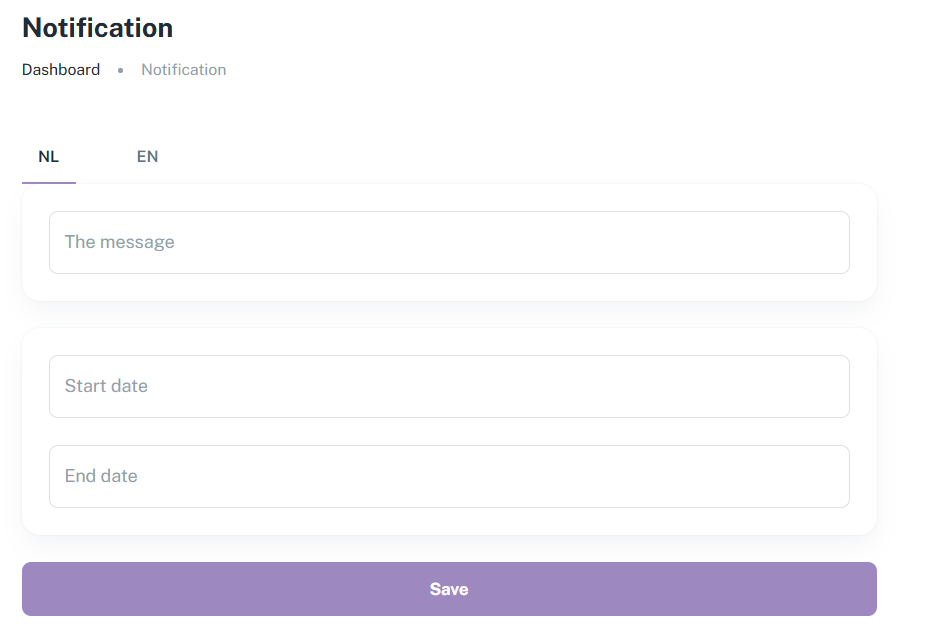
A notification is a good way to inform your guests about temporary changes, a discount code or a general welcome message. It is a handy tool that allows you to set a start and end date.
For example, if your jacuzzi has broken down and you have arranged for a repairman to come, you can put ‘Jacuzzi is broken. A repairman will come on 14 August’ in the notification and set the end date to 14 August. The notification will then disappear after 14 August.
You can set the end date as far in advance as you like, so if you want to post a notification that can always be seen in the web app (such as ‘Welcome to your stay!’), you can set the end date 30 years in the future.
The notification is also automatically translated into other languages, so you don't have to worry about that either!
It is not possible to have more than one notification or to send guests a push notification on their device.
Is anything unclear or do you have any other questions/comments? Send us an email at office@greatstayapp.com, fill in our enquiry form or call us on +31 (0)85 40 15 336.
Was this article helpful?
That’s Great!
Thank you for your feedback
Sorry! We couldn't be helpful
Thank you for your feedback
Feedback sent
We appreciate your effort and will try to fix the article