We receive a lot of questions about integrations, particularly regarding social media. Below, we explain how you can add integrations yourself, but first you need to ask yourself the following question: am I adding an integration that requires a review to be left?
If the answer is yes, read on under ‘Integration for reviews’. If the answer is no, read on under ‘Integration without reviews’.
For social media, it may fall into both categories. On Instagram and Facebook, users can leave a review on a business account. If you have this, and you want to offer the option to leave a review, read on under ‘Integrations for reviews’. Do you simply want to add all your social media channels (including social media other than Facebook and Instagram) to your business on Google? Then read on under ‘Integration without reviews’.
Review integration
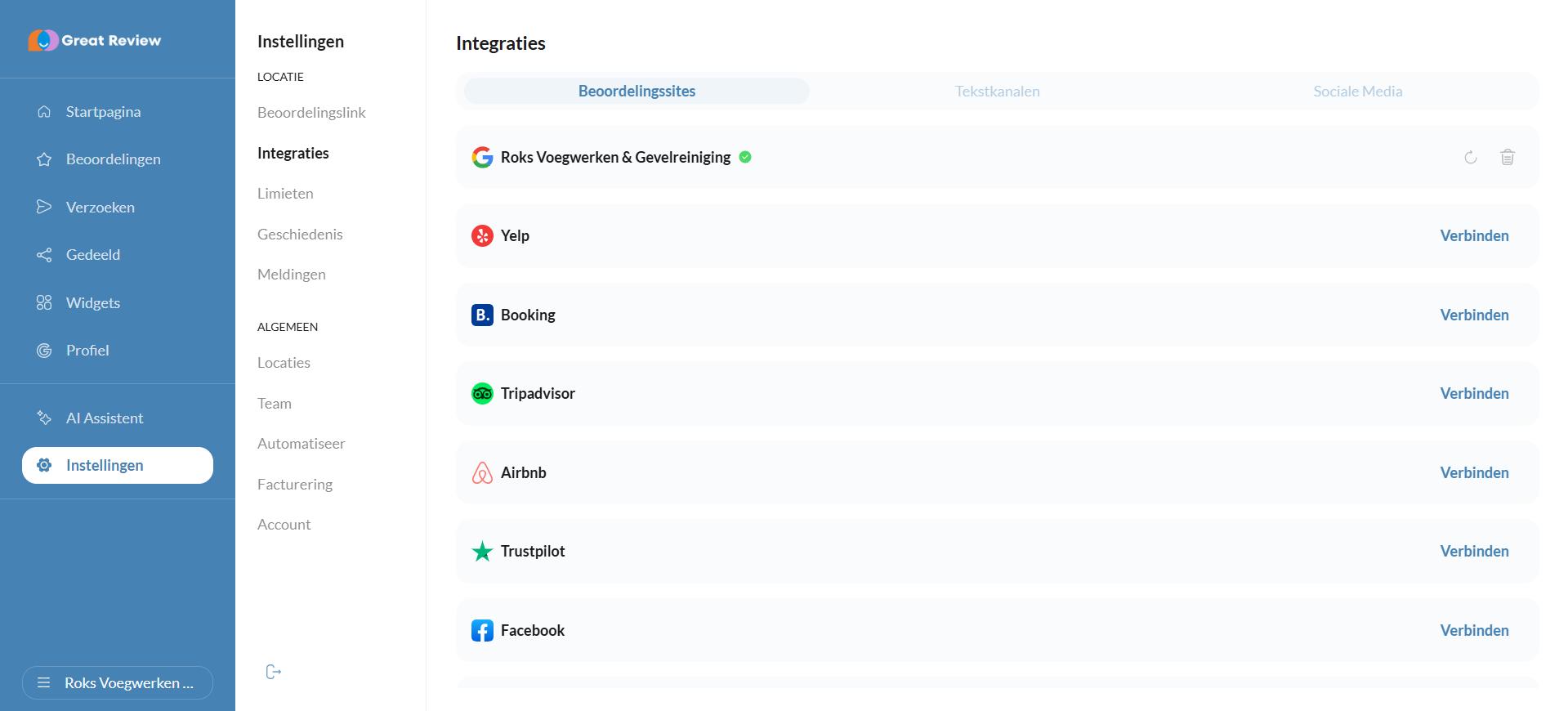
On the left-hand side, under ‘Settings’, you can add a number of standard integrations under “Integrations”. It will automatically be set to ‘Review sites’, as shown in the screenshot below. You can scroll down here. Under ‘Text channels’, you can link email, SMS and WhatsApp (if you have linked Facebook), and under Social Media, you can link business reviews from Instagram and Facebook.
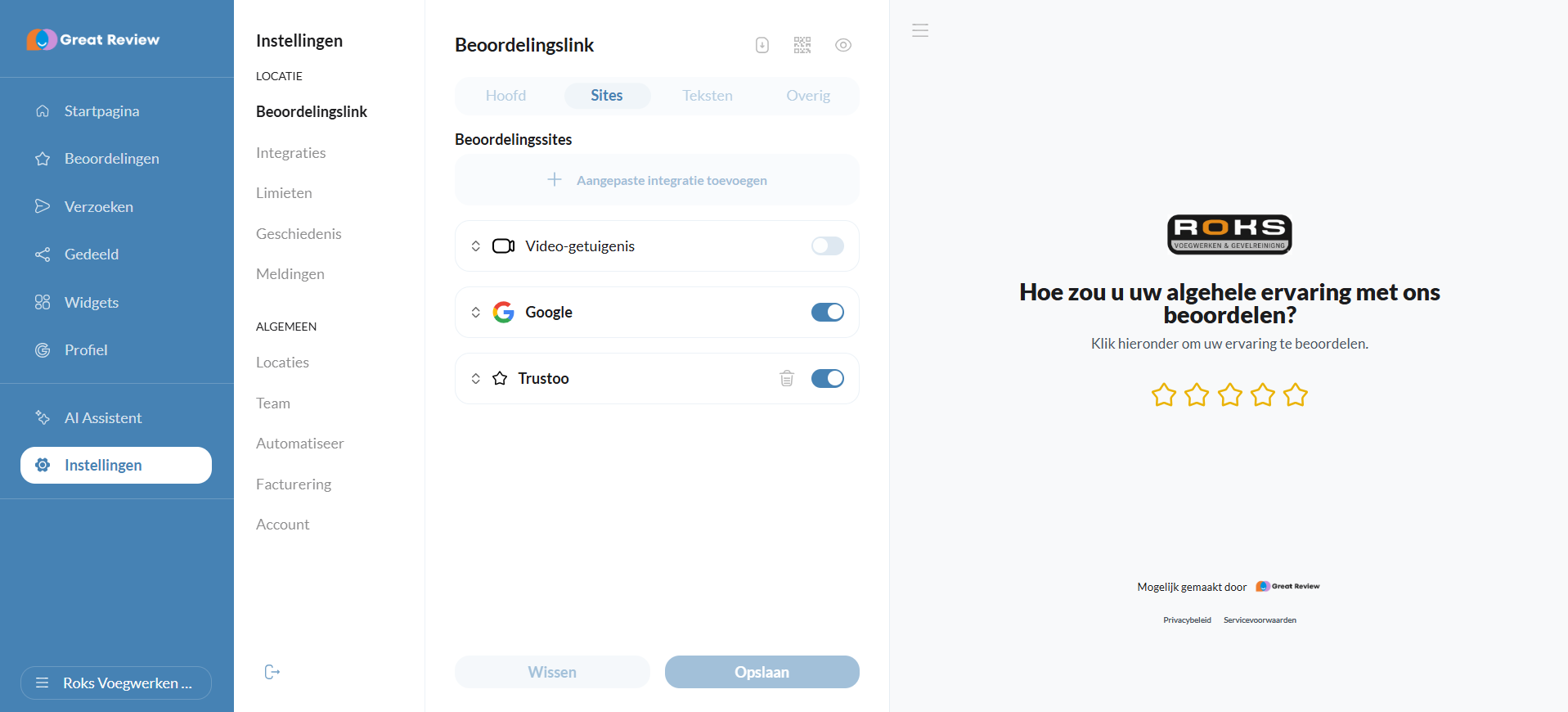
Next, you need to add the assessment integration to the review tool. You’ll find this under ‘Settings’ and then ‘Assessment link’ (see the screenshot below). There you’ll see a list of all integrations, where you can tick or untick them. If they’re ticked, they’ll appear in the review tool!
Please note! It can take up to about half an hour for everything to be linked correctly.
Integration without reviews
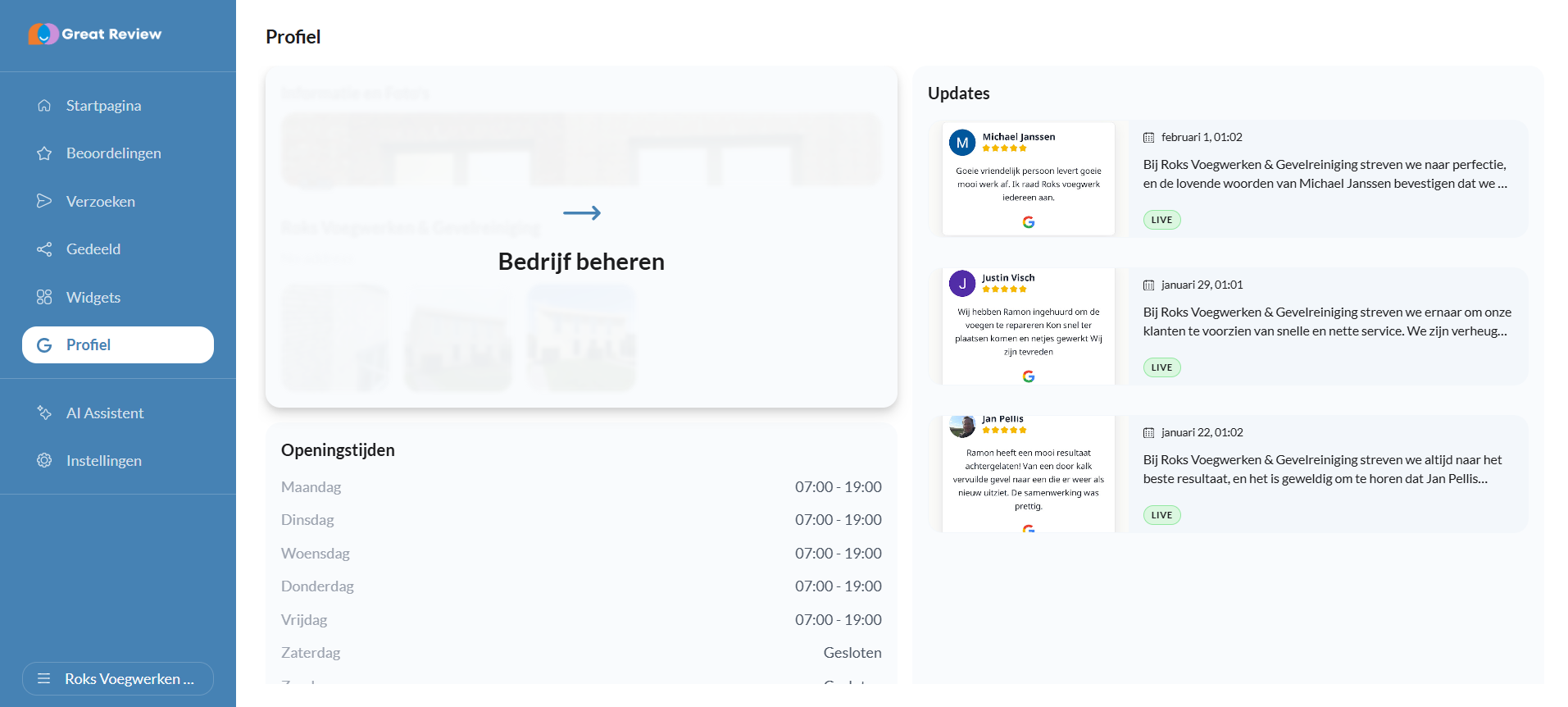
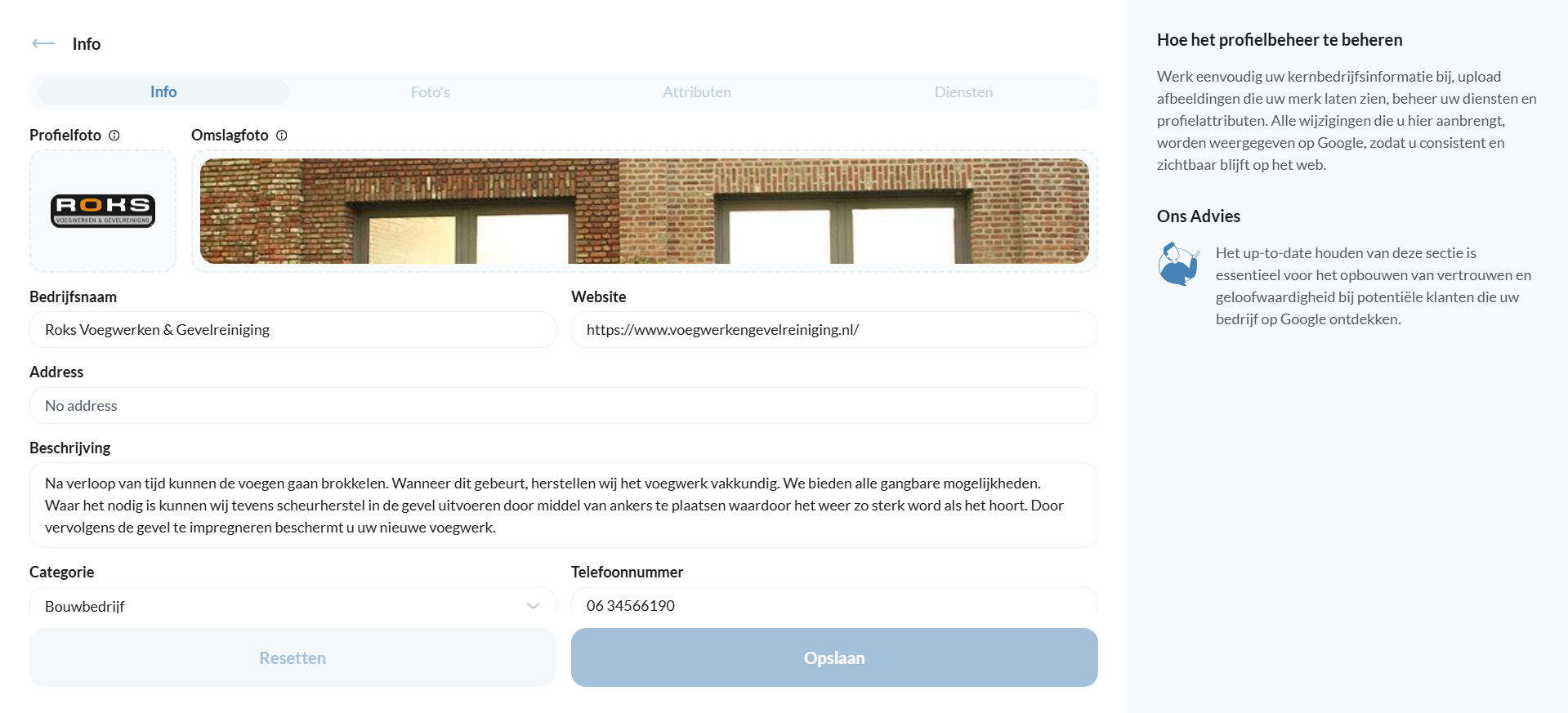
If you want to link social media accounts to your business profile on Google, you need to go to a different section. Under ‘Profile’, hover over ‘Information and photos’ and then click (see screenshots below). This will take you to the bottom screenshot. If you scroll down here, you’ll see various social media platforms that you can add to your Google business account; these will be visible on your Google business account.
If you have any questions or would like further information, please check out the other pages in our helpdesk.Want to get in touch? Send us an email at office@greatstayapp.com, fill in our enquiry form or call us on +31 (0)85 40 15 336.
Was this article helpful?
That’s Great!
Thank you for your feedback
Sorry! We couldn't be helpful
Thank you for your feedback
Feedback sent
We appreciate your effort and will try to fix the article