An Iframe page allows you to incorporate a website into your web app. To do this, after creating an Iframe page, enter the link of the website you want to incorporate into your web app in the bar labelled “Iframe”. Then press save.
This is very useful, but not all websites allow an Iframe (not all websites can be incorporated into your web app). It is therefore useful to always test whether the website you want to incorporate actually works after creating an Iframe page. You can do this by opening your web app after creating the Iframe page and opening the Iframe page. Please note: www.greatstayapp.com alone is not sufficient; you must enter https://www.greatstayapp.com.
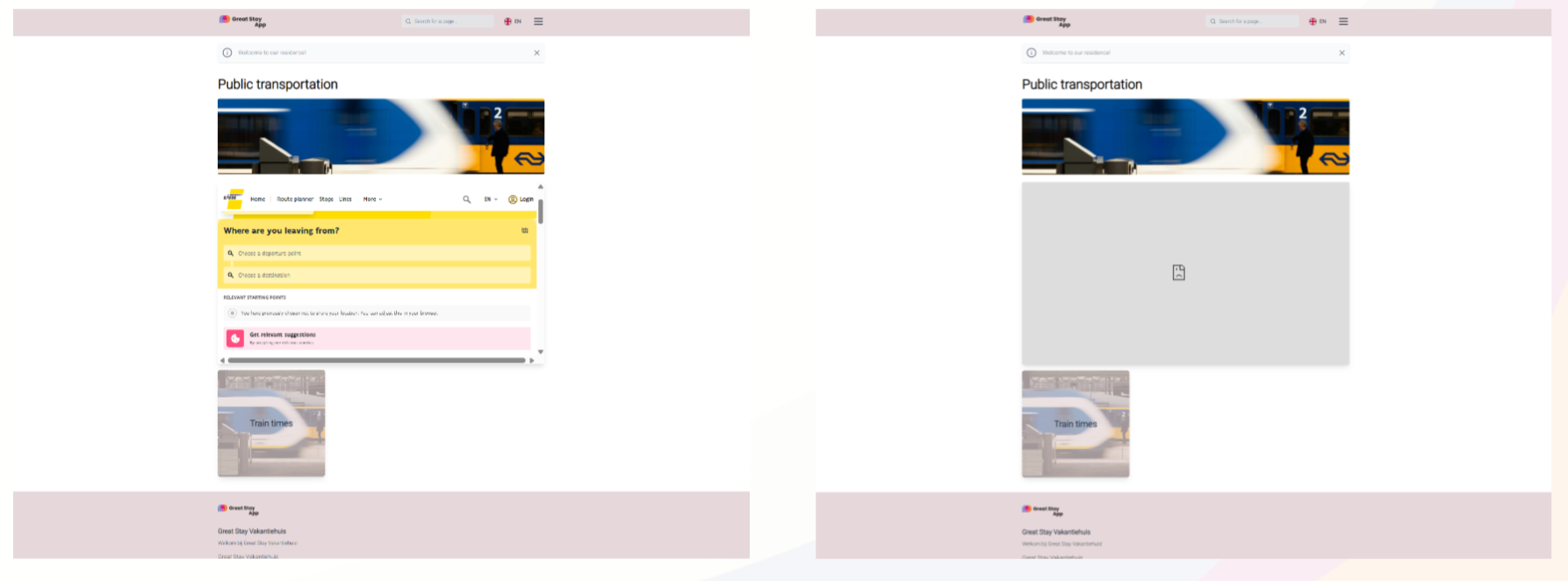
Below you can see an example of a page where the Iframe does work (delijn.be) and a page where the Iframe does not work (9292.nl). If a website does not work in Iframe, you can link the link in a content page behind a word or image so that the link to that link is still present in your website.
Is anything unclear or do you have any other questions/comments? Send us an email at office@greatstayapp.com, fill in our enquiry form or call us on +31 (0)85 40 15 336.
Was this article helpful?
That’s Great!
Thank you for your feedback
Sorry! We couldn't be helpful
Thank you for your feedback
Feedback sent
We appreciate your effort and will try to fix the article